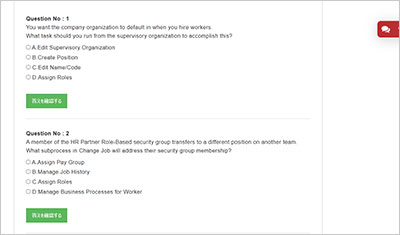
サンプル問題 1: What statement about business processes is true?
A: You can add any action step to any business process.
B: You can add any type of condition rules to any step.
C: You can set any step of a business process as completion.
D: You can create business process definitions based on rules.
正解:D
Explanation: In Workday, a Business Process (BP) defines how specific business events are executed within the system. The true statement among the options is that you can create business process definitions based on rules. Workday allows you to maintain rule-based BP definitions, meaning that a single BP can have multiple versions triggered under different conditions (for example, based on supervisory organization, company, location, or job profile). This functionality enhances configuration flexibility by allowing organizations to adapt process flow depending on contextual attributes ― without duplicating processes. Each version operates under a defined condition rule, evaluated at runtime to determine which BP definition applies. Options A, B, and C are incorrect: A is false because not every action step can be added to every process ― the available step types depend on the BP template (for example, Hire, Change Job, or Request Compensation Change). B is false since condition rules can only be applied to specific steps where the system allows configuration (for instance, approvals and to-dos). C is false because only a designated Completion Step marks the end of the process, and it cannot be assigned arbitrarily to any step. Reference (Paraphrased Source): Workday Pro HCM Core C Business Process Framework and Configuration Guide (2023R2, Workday Learning). Sections: “Rule-Based Business Process Definitions,” “Business Process Configuration Best Practices,” and “Condition Rule Framework.”
サンプル問題 2: What is the step in a business process that allows users to edit and approve the information submitted by the initiator of the business process?
A: Review step
B: Consolidated Approval step
C: Approval step
D: Integration step
正解:A
Explanation: In Workday, the Review Step within a business process is specifically designed to enable a user to review, edit, and approve information that was submitted by the initiator. This step allows designated participants to view the transaction details, make permissible edits, and approve or send it back for correction. It serves as an intermediate checkpoint before final approval or completion, ensuring data accuracy and compliance with policy. By contrast, the Approval Step (Option C) only permits approval or denial ― it does not allow data modification. The Consolidated Approval Step (Option B) groups multiple approval steps for simplification but also lacks edit functionality. The Integration Step (Option D) is used for system integrations and automated data transfers, not for user data review. Thus, the Review Step uniquely provides both review and edit capabilities, which makes it ideal for validating and refining information early in the process lifecycle. Reference (Paraphrased Source): Workday Pro HCM Core C Business Process Configuration Guide (2023R2) C Section: “Step Types and Participant Actions” and “Review Step Configuration.”
サンプル問題 3: Which tasks can be executed from a business process step to create a new condition rule? (Select two correct answers.)
A: Maintain Advanced Routing Restrictions
B: Maintain Step Delay
C: Create Condition Rule
D: Maintain Step Conditions
正解:C, D
Explanation: In Workday, condition rules determine whether a step executes, routes, or triggers based on defined criteria such as job attributes, location, or organization. There are two primary ways to create or associate condition rules directly from a business process step: Create Condition Rule (Option C) C allows a user to define a new condition rule directly from within the step configuration screen. This opens the condition rule editor where criteria can be defined using Workday attributes. Maintain Step Conditions (Option D) C provides the option to assign existing condition rules or create new ones for the selected step. This is often used to ensure that certain steps run only when specific business conditions are met. Options A and B are incorrect: Maintain Advanced Routing Restrictions (A) is related to security routing and worktag-based participant logic, not condition rule creation. Maintain Step Delay (B) controls timing (delaying execution by hours or days), unrelated to conditions. Reference (Paraphrased Source): Workday Pro HCM Core C Business Process Framework and Condition Rule Configuration Guide (2023R2) C Sections: “Creating and Maintaining Condition Rules” and “Step-Level Configuration.”
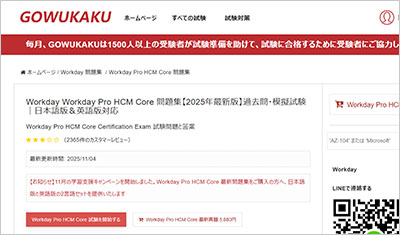
試験はこの世界で成功しやすいことの一つです。試験は前もって範囲を教えていますから、復習はこの範囲内の自分ができないところを探し続けています。GOWUKAKUはWorkday Pro HCM Core問題集を用いたWorkday Pro HCM Core(Workday Pro HCM Core Certification Exam)試験の復習方法を案内しています。
ご入金後、マイページからWorkday Pro HCM Core試験問題集の日本語版と英語版の2言語セット(PDF形式)をダウンロードできます。また、試験範囲の改訂や問題集の更新が行われた場合、ご購入日から1年間(365日間)は更新版を追加料金なしでダウンロードできます。返金の条件は返金ポリシーに従います。